Your warehouse, on a tablet.
Scan RFID tags, auto-identify packages, and place every shipment on the exact rack, bay, and pallet — from a native iPad app built for the warehouse floor.
Fast, visual workflows for receiving, storing, and picking.
Designed for warehouse teams that need instant visibility, less manual work, and higher inventory accuracy across racks, pallets, and zones.
RFID auto-detection
Stop searching for barcodes and paperwork. Scan RFID tags and the app instantly finds the matching package and order details.
- Automatic package recognition with RFID
- Instant match to shipment manifest
- Fewer human errors on receiving and staging
Warehouse map
A live location map shows aisle, rack, shelf, and bin assignments so teams can place and retrieve packages with confidence.
- Exact rack and pallet mapping
- Zone filtering for faster put-away
- Visual location history for every item
Operations control
Track inbound units, assign staging areas, and monitor package status across the warehouse from one tablet dashboard.
- Inbound/outbound status at a glance
- Quick task assignment for floor staff
- Syncs package moves in real time
Dock Scheduling
Eliminate dock congestion with intelligent appointment windows for carriers, drivers, and warehouse staff.
- Intelligent appointment windows for carriers
- Real-time dock availability visibility
- Reduces driver wait times at the dock
LFD & Demurrage Alerts
LFD tracking continues inside the warehouse. Receive proactive alerts before storage fees begin — no blind spots between port and delivery.
- Proactive alerts before LFD deadlines
- Continuous tracking inside the warehouse
- Reduces costly demurrage and detention fees
Dwell Time & Storage Billing
Every movement is timestamped and logged automatically — giving you accurate dwell time data for billing and dispute resolution.
- Automatic timestamp logging per movement
- Accurate dwell time for billing
- Clear audit trail for dispute resolution
Multi-Location Management
Operate multiple warehouse locations from a single dashboard. Inventory, workflows, and alerts unified across your entire footprint.
- Unified dashboard across all locations
- Inventory sync across warehouses
- Consistent alert coverage everywhere
Built screen-by-screen for warehouse teams.
Every interaction designed for speed on the floor — from RFID scans to staging.
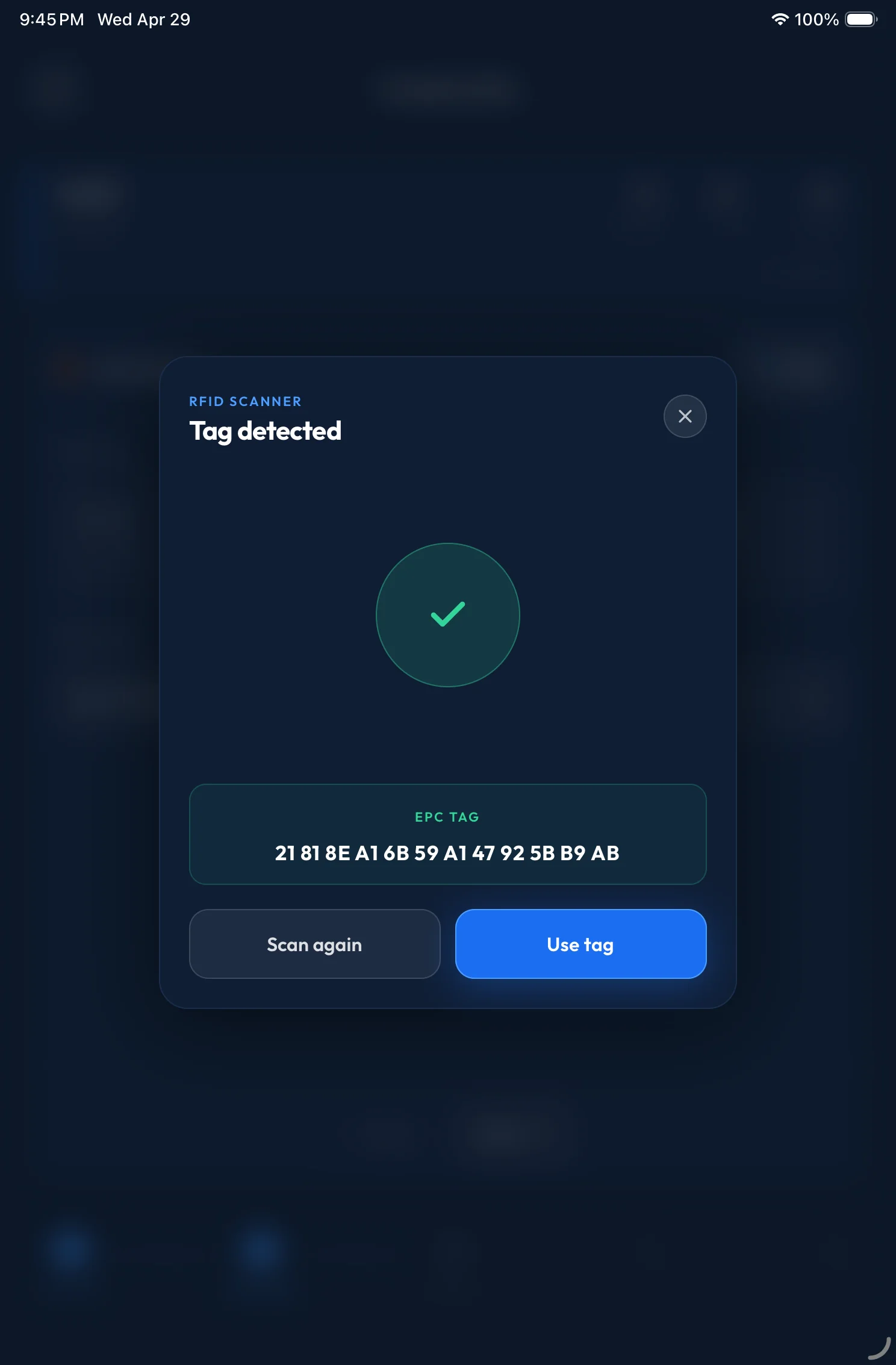
Tap, scan, and the package identifies itself.
Hold the tablet to a tag and the app instantly resolves the package, the order it belongs to, and the staging instructions — no typing, no paperwork lookup.
- Live scanner overlay with confirmation animation
- Auto-pulls tracking number, carrier, and SKUs
- Drops the package on the right manifest in one step
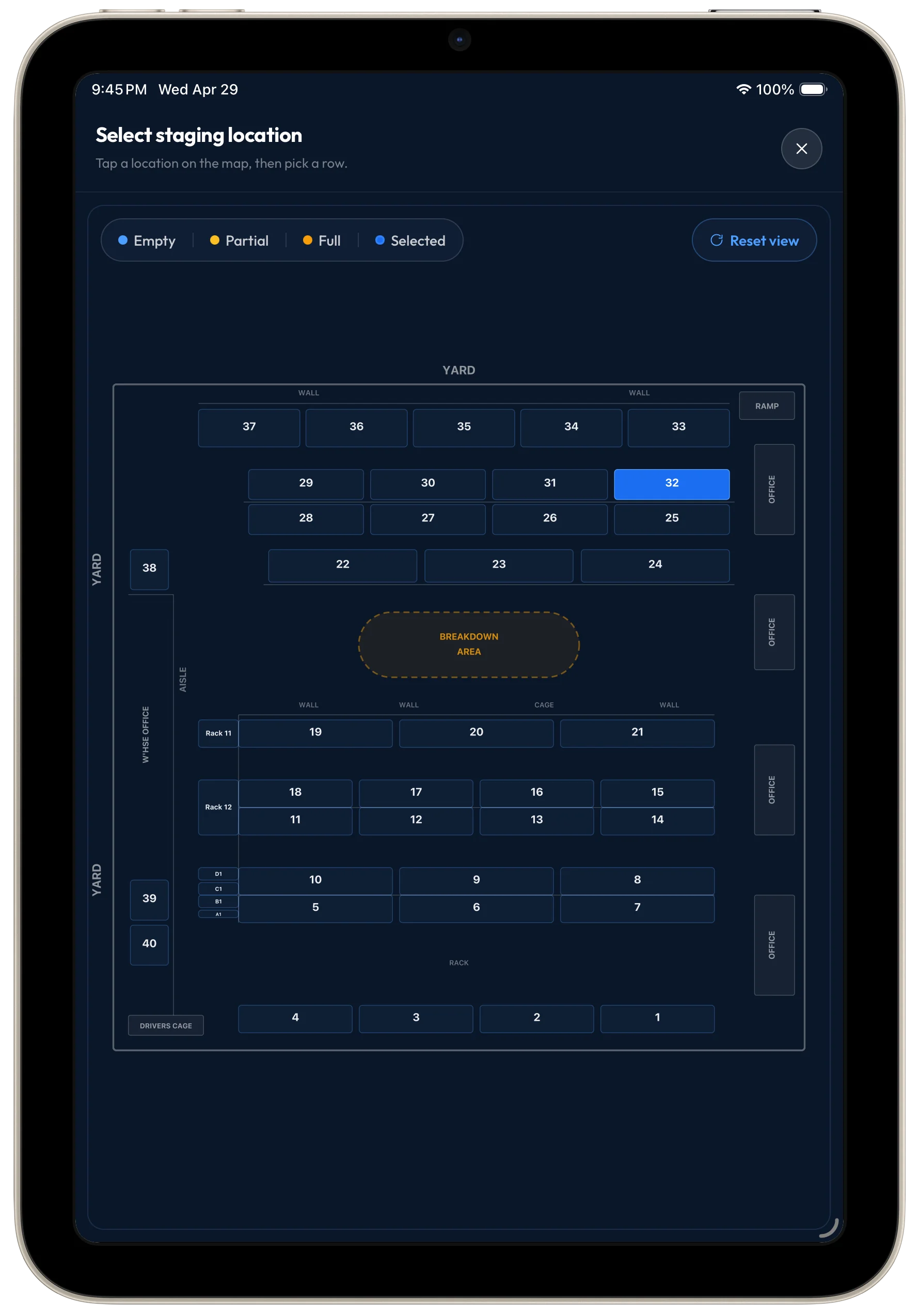
A warehouse map that mirrors your real floor.
Choose any rack, bay, or staging slot from a live map, then drill into rows and stacks within that location. Color-coded states show what's empty, partial, or full so put-away decisions are obvious.
Pick a location
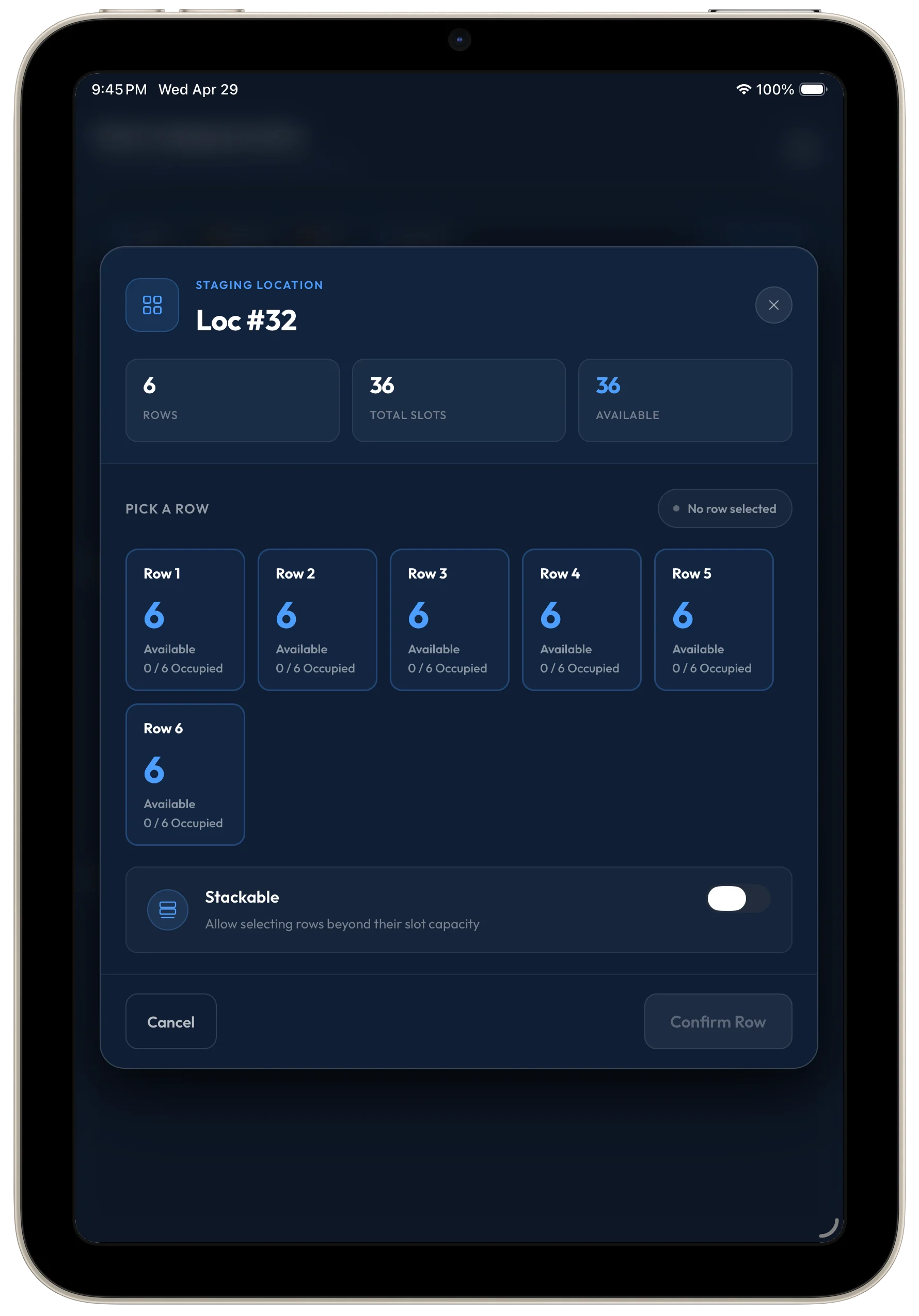
Then a row
- Tap a slot on the map to open the row picker
- See live availability per row with stacking control
- Confirm placement once — it syncs everywhere
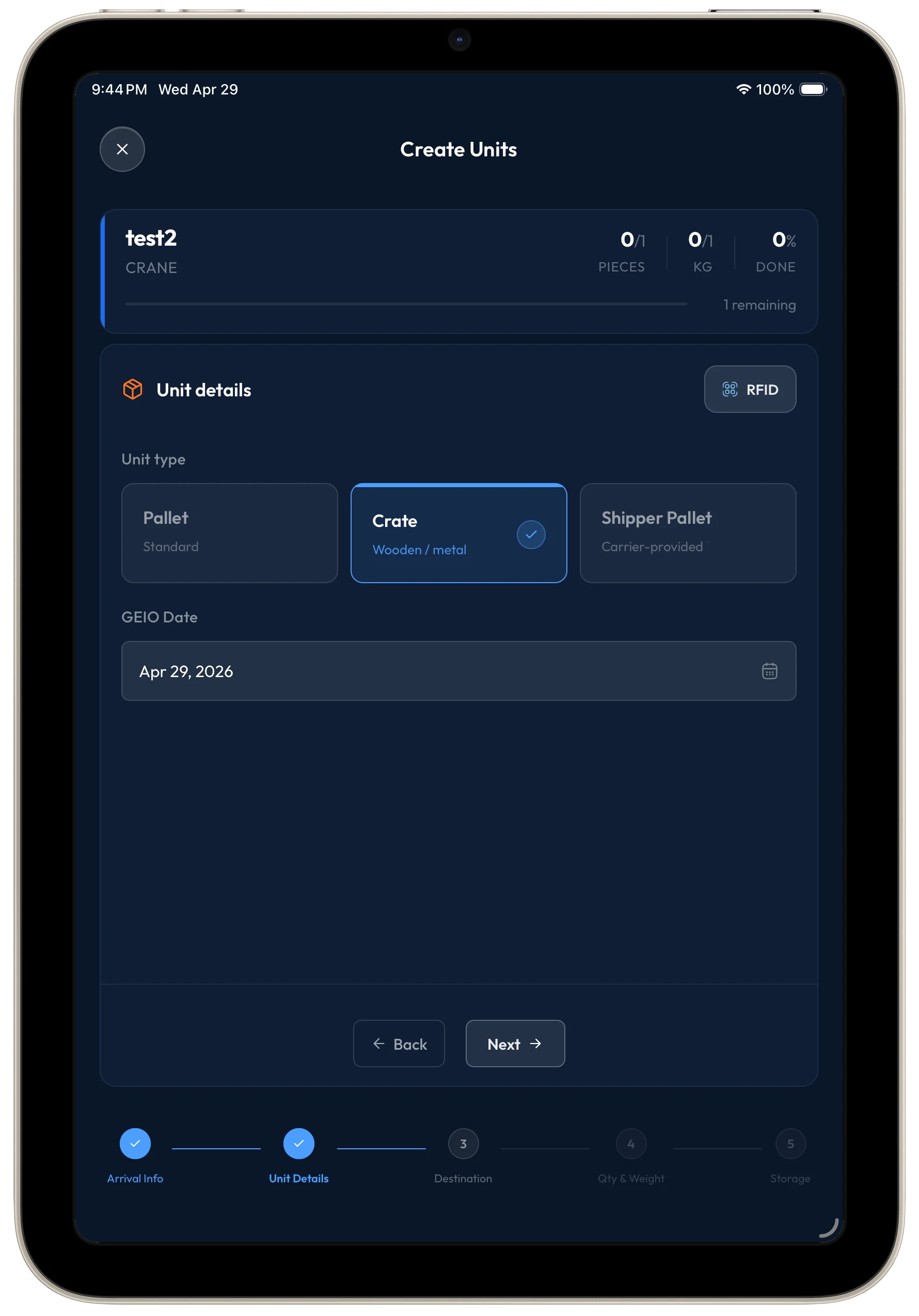
Spin up new units without leaving the floor.
Create or update package units, assign them to a location, and link them to a shipment in seconds — all without walking back to a desk.
- Pre-filled fields from the last scan
- Bulk-assign to staging or pickup zones
- Syncs back to the dispatcher dashboard instantly
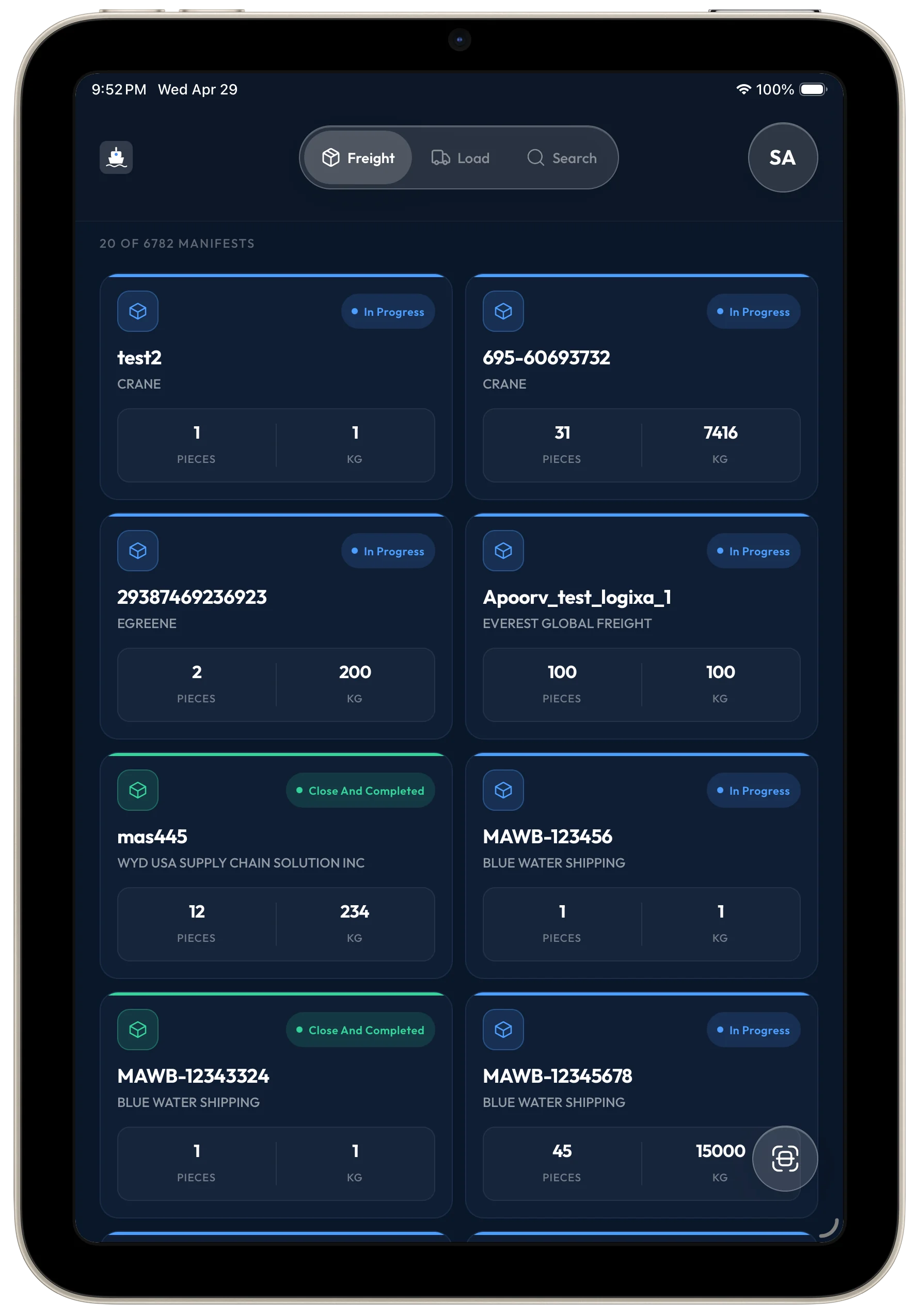
Inventory at a glance, broken down the way you work.
Group packages by location, carrier, or status to find exactly what's where. Built for the moment when a driver is at the dock and you have ninety seconds.
- Filter by carrier, status, or staging zone
- Drill into any package for the full history
- Export breakdowns straight to dispatch
Built for the people on the floor.
Secure operator sign-in, personal profiles, and a one-tap account menu — every account screen is sized for gloved hands and quick switches.
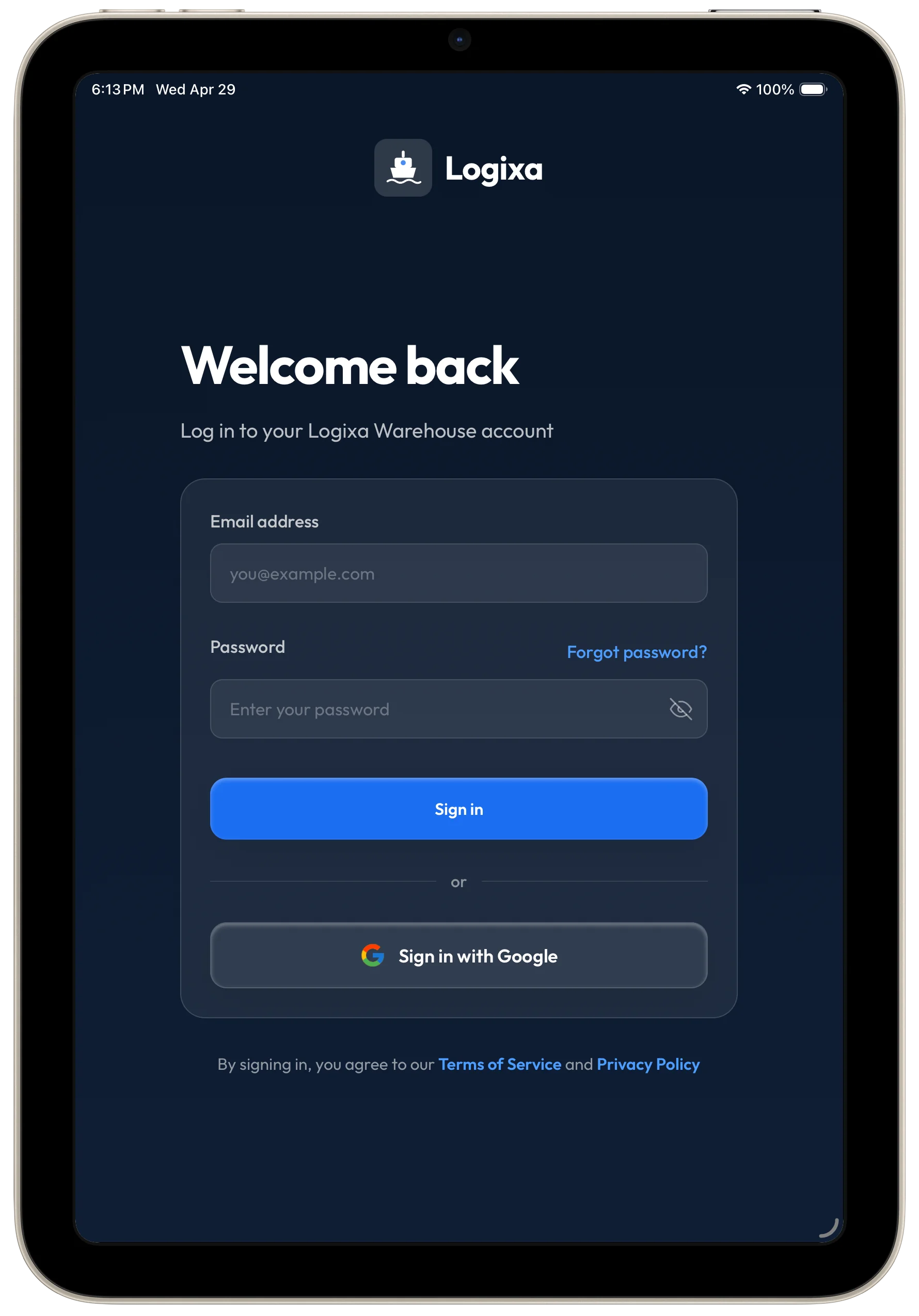
Secure operator sign-in
Email + password or single-tap Google sign-in, with session controls scoped to your warehouse.
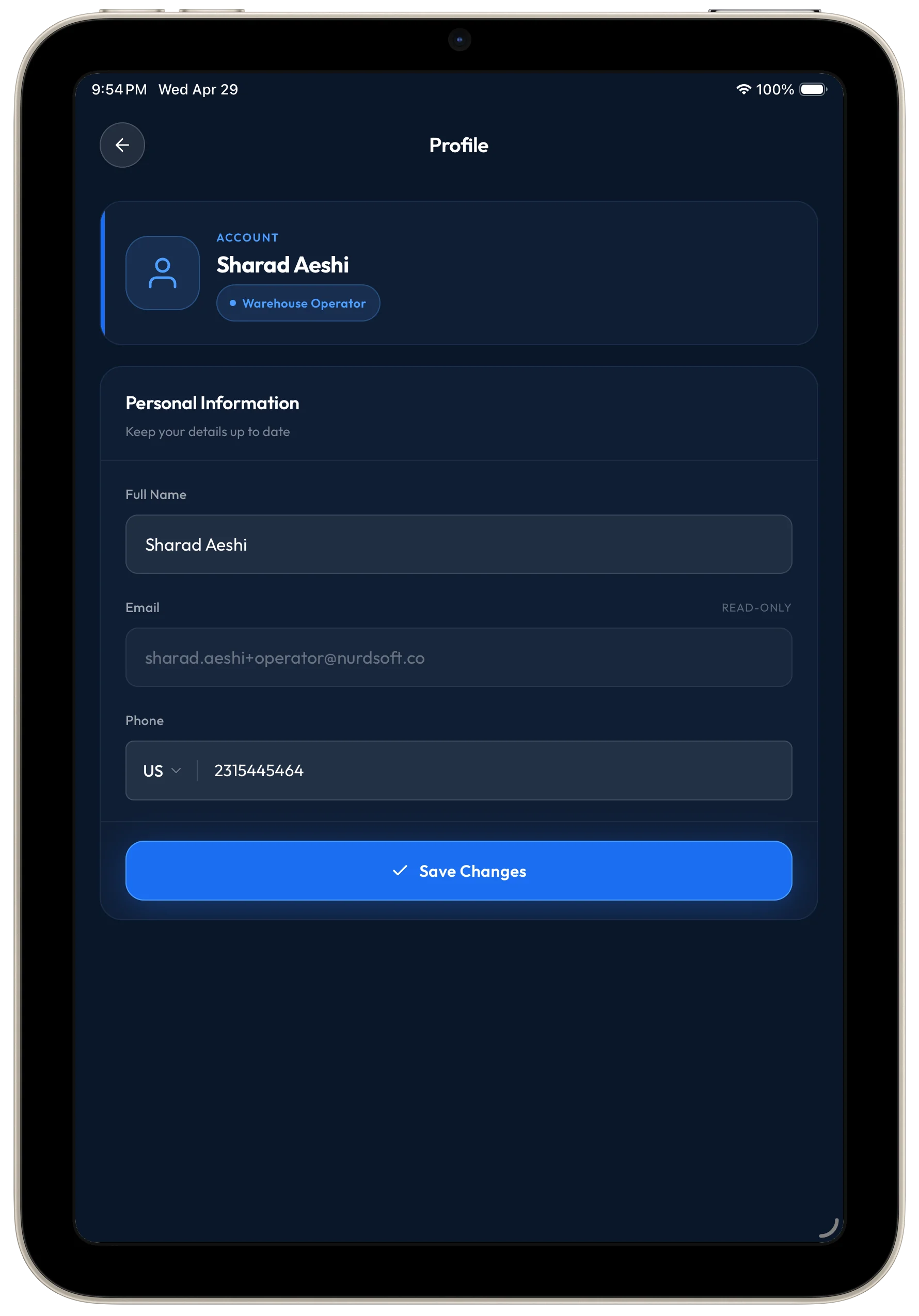
Personal operator profile
Each operator has their own identity, role badge, and contact details — auditable across every scan and placement.
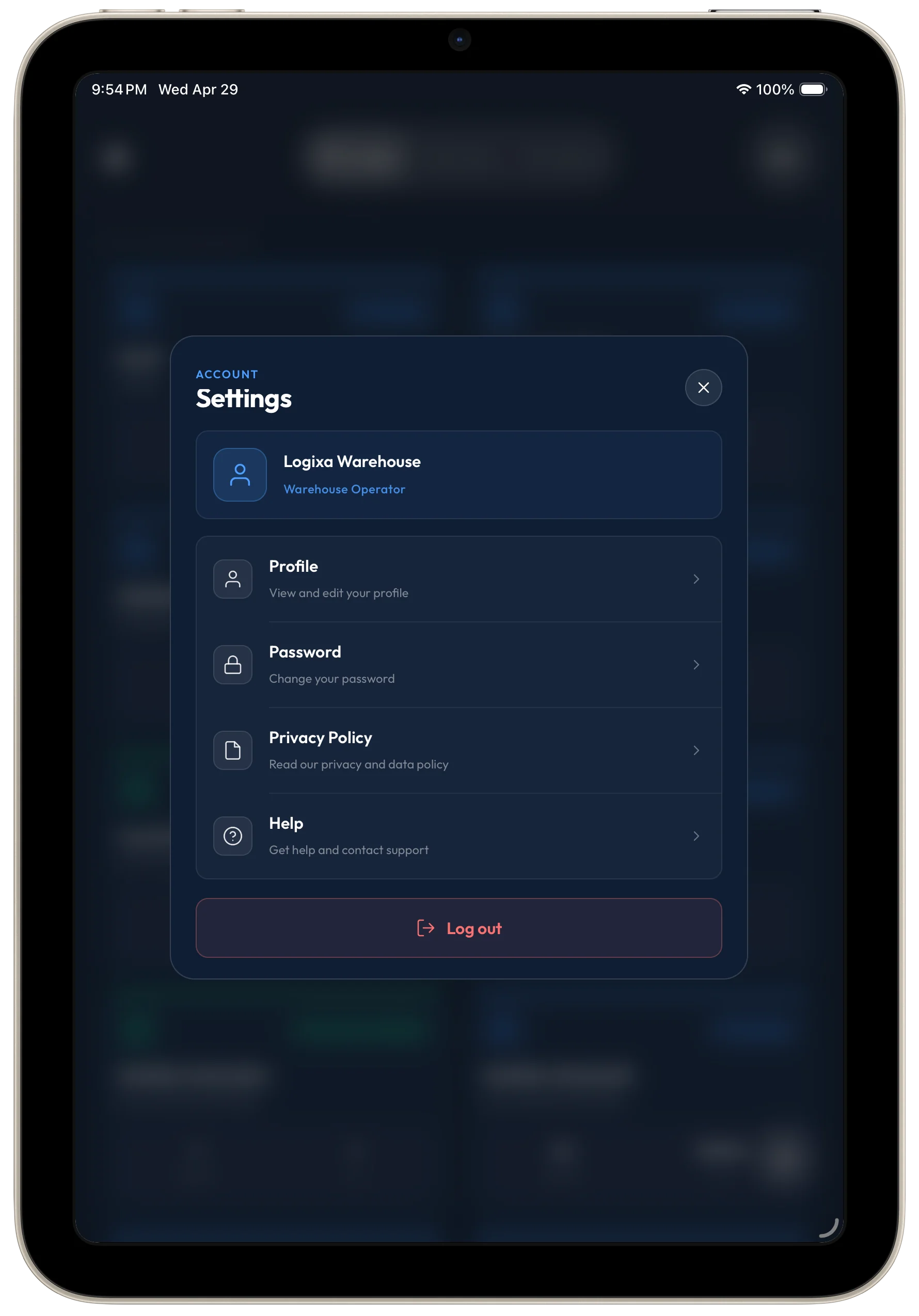
Quick-access account menu
One tap reveals profile, password, privacy, help, and sign-out — the controls operators reach for between shifts.
Request access
Bring RFID and warehouse mapping to your warehouse floor.
Get early access to the Logixa Tablet App and see how package scanning, accurate location mapping, and inventory status come together in one native warehouse workflow.
Map packages to racks, aisles, and bins with pixel-perfect location assignment.
RFID-powered workflows reduce misloads and help teams move the right packages first.